01 · Prepare
Set up the project before the visit.
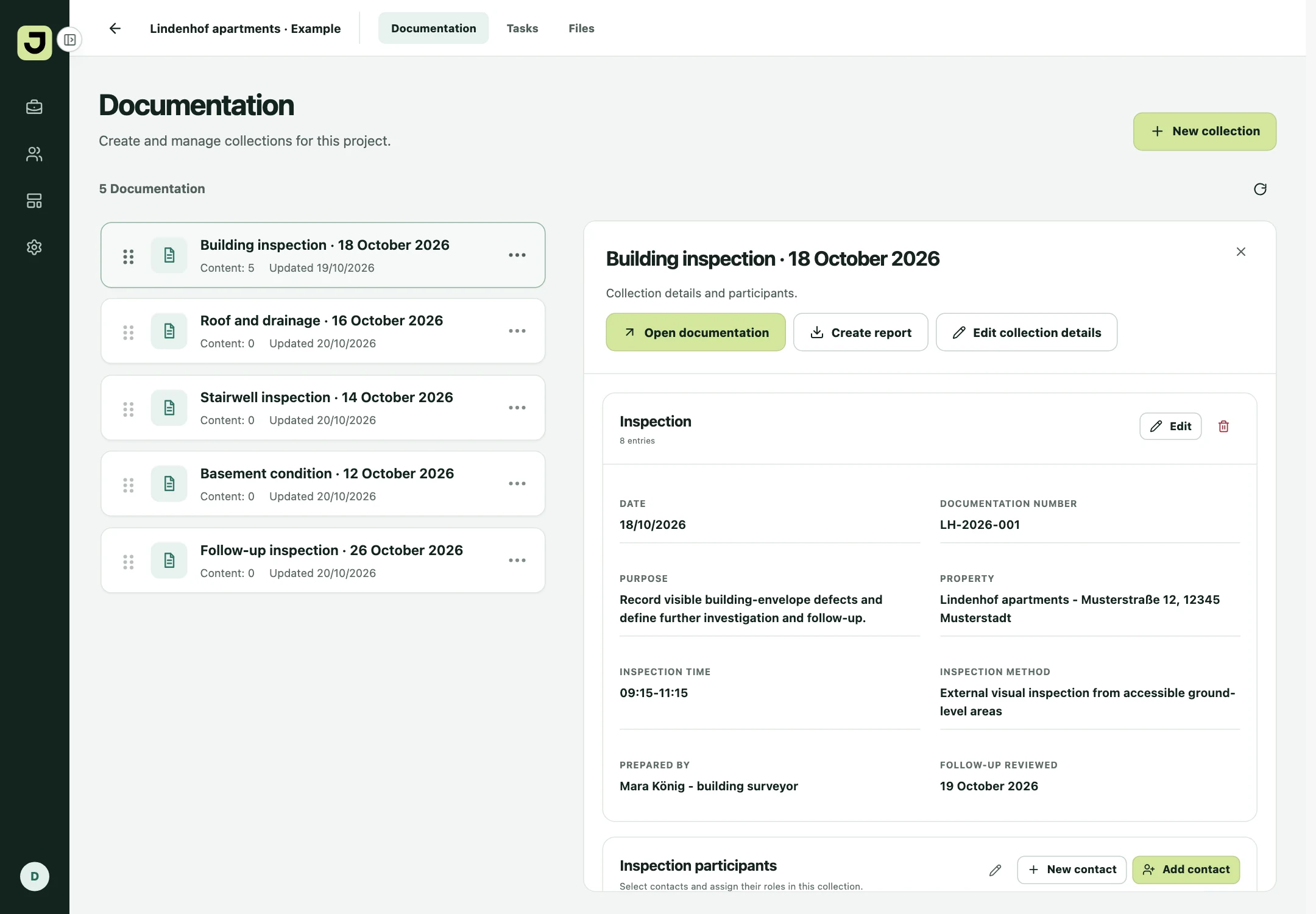
Keep the building details, inspection date and participants together. The same project is available on mobile and web.
JUSA Docu · For site managers, construction supervisors and surveyors
Capture plans, photos and notes. Connect findings with tasks. Create the report you need. JUSA Docu keeps your work on site and at the office together.
No credit card needed · iOS, Android and web
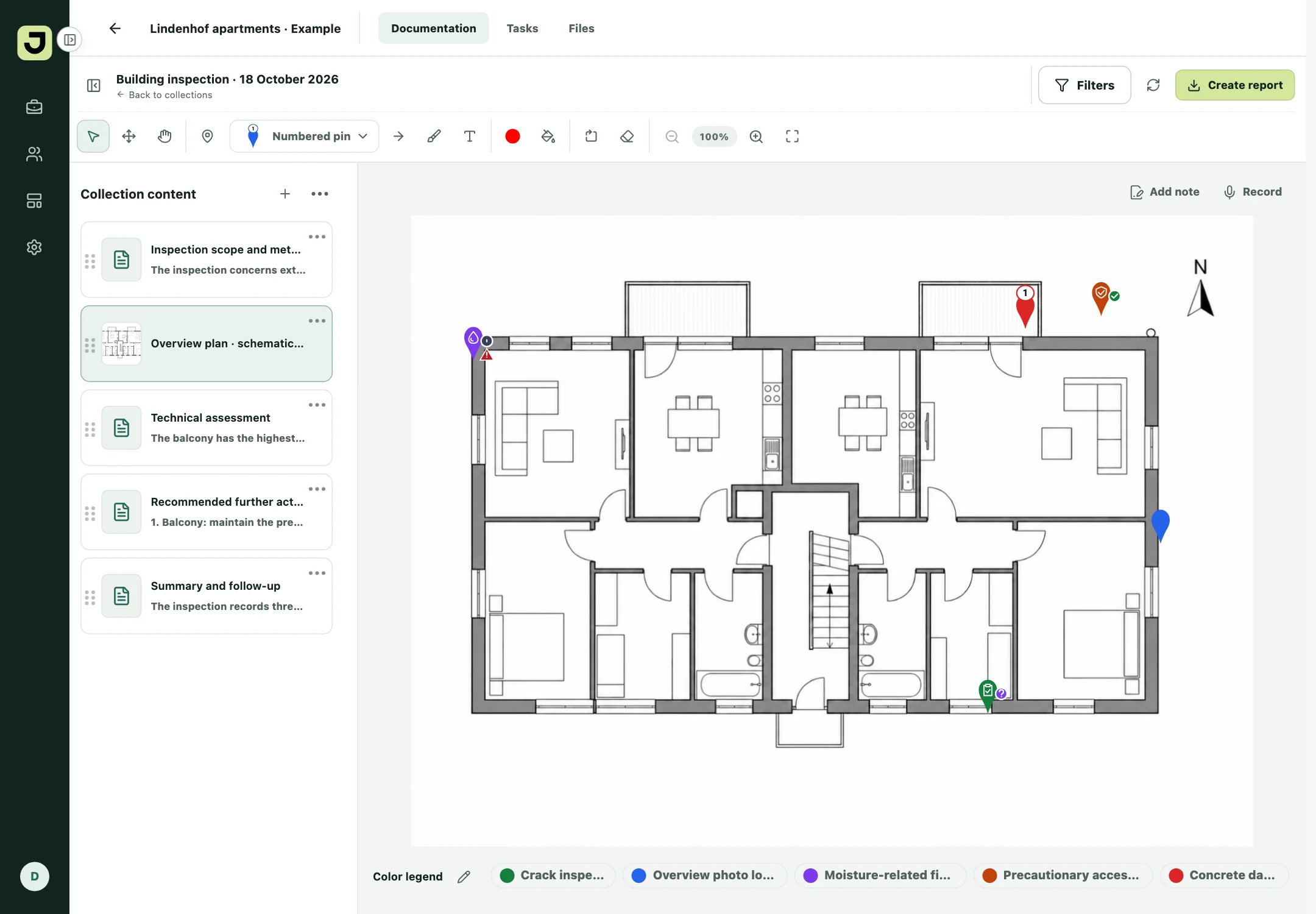
From the marked plan to the detail photo. Capture on mobile, continue on the web.
For the people who look closely on site.
01 · Prepare
Keep the building details, inspection date and participants together. The same project is available on mobile and web.
02 · Capture
The important information emerges during the inspection. Collect photos, plans, files, text and voice notes directly in your documentation. On mobile, you can keep capturing without reception.
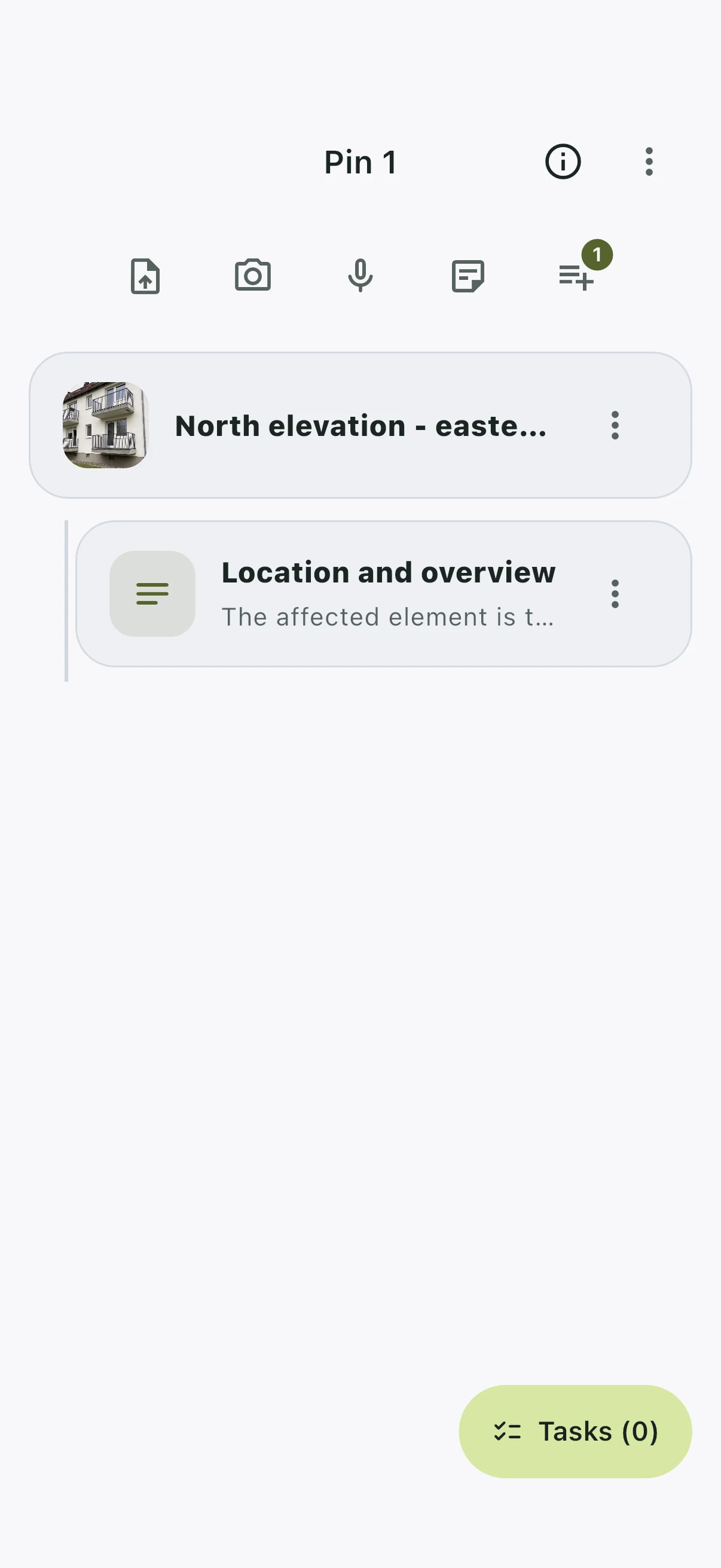
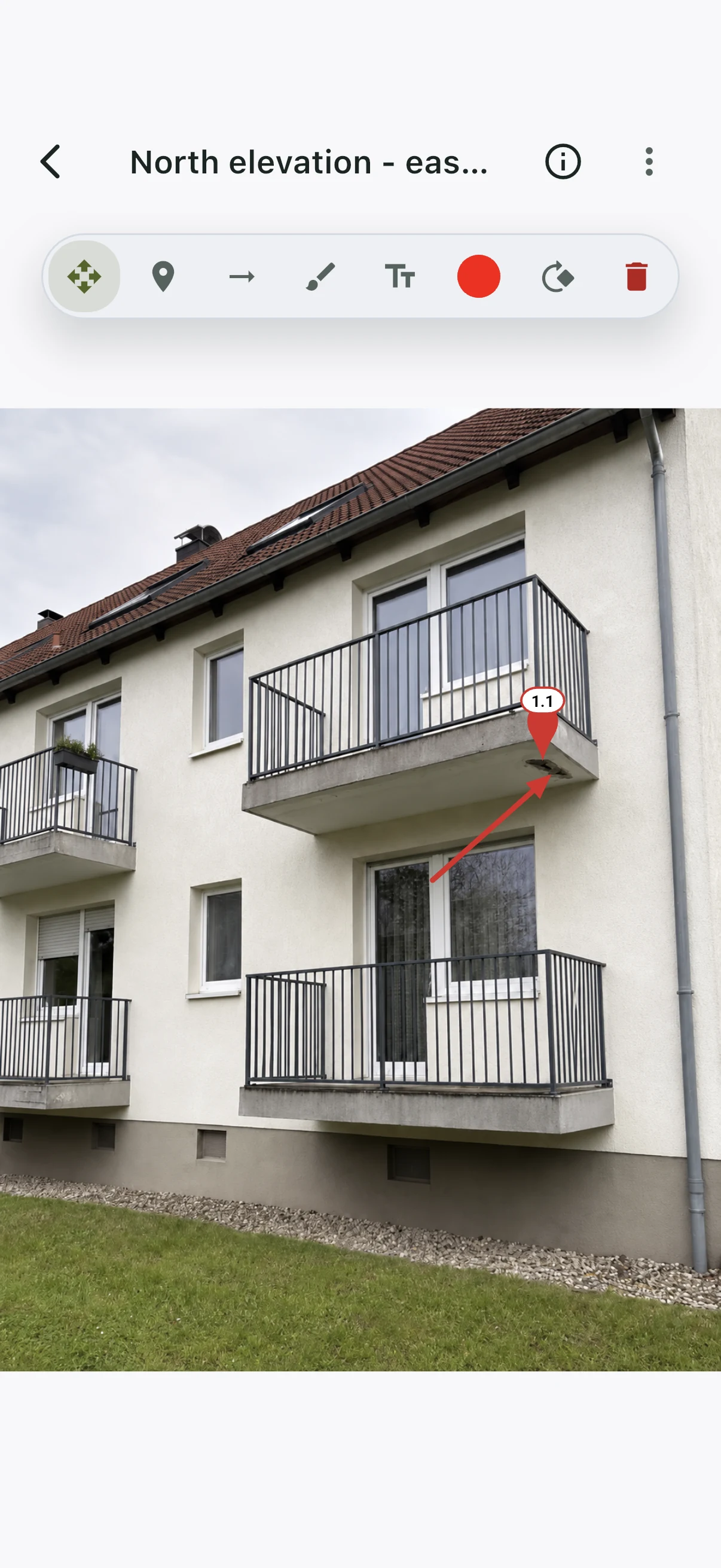
Actual iPhone Simulator captures, using the same synchronized example project.
03 · Locate
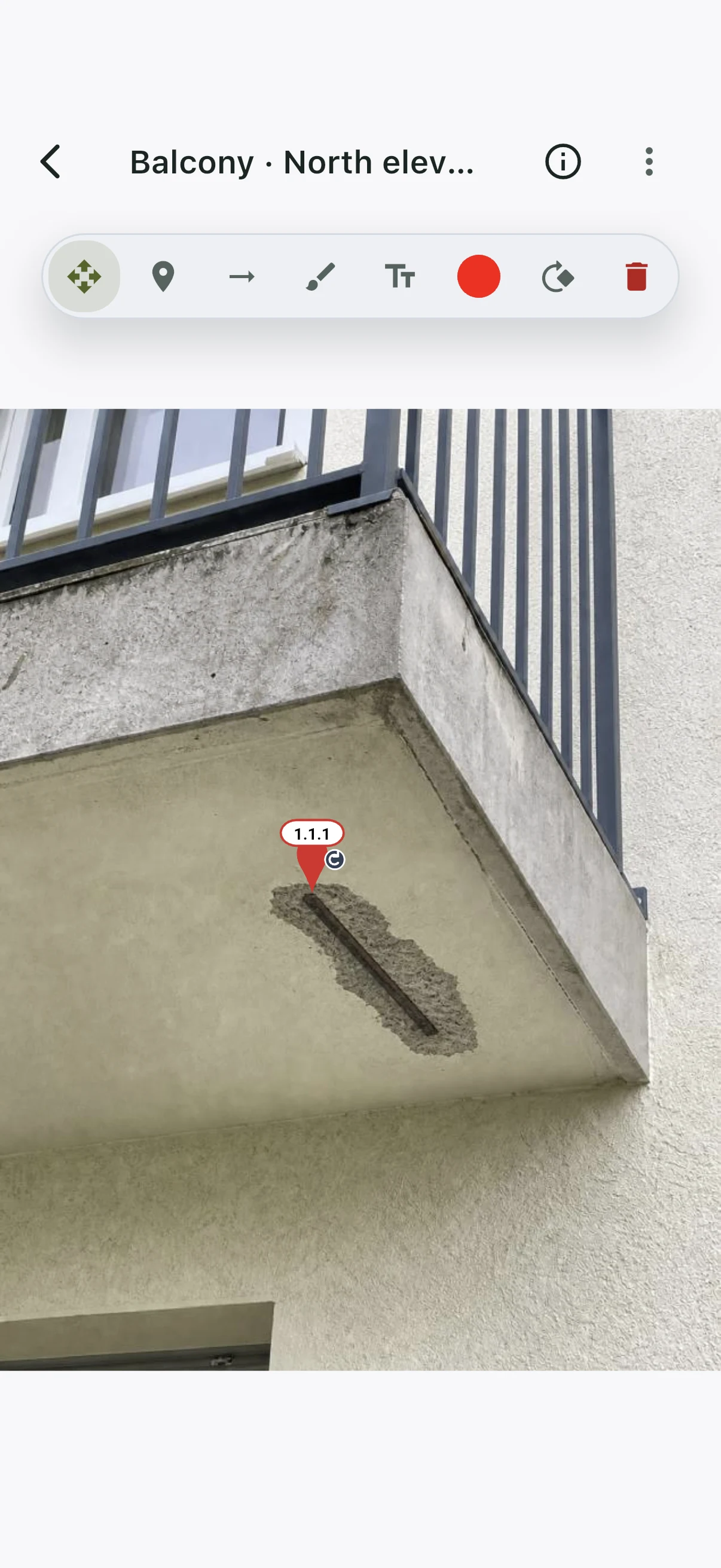
A photo alone often leaves questions. Nested pins connect the location on the plan with an overview photo and a close-up. Their numbering makes the route to the finding clear.
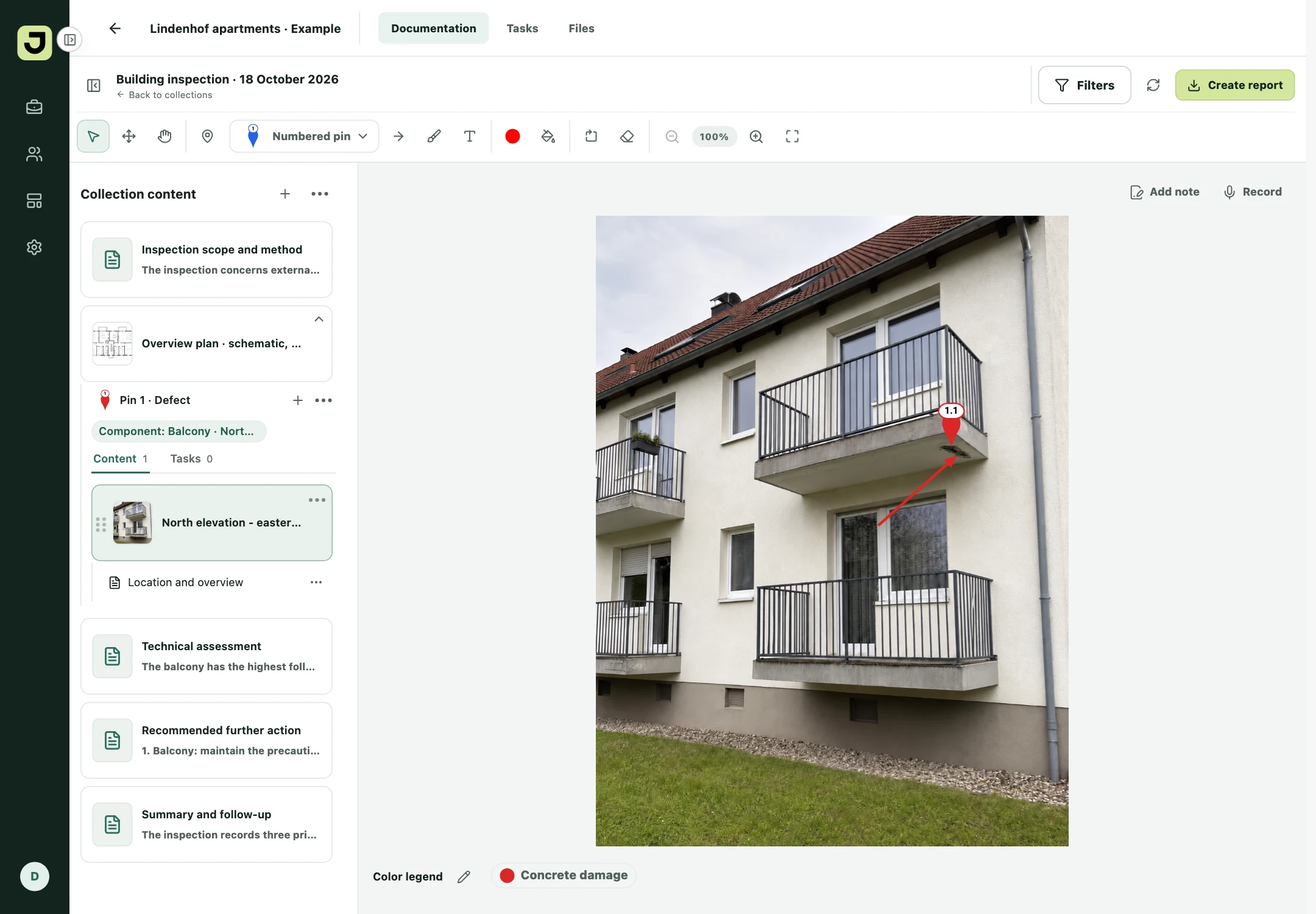
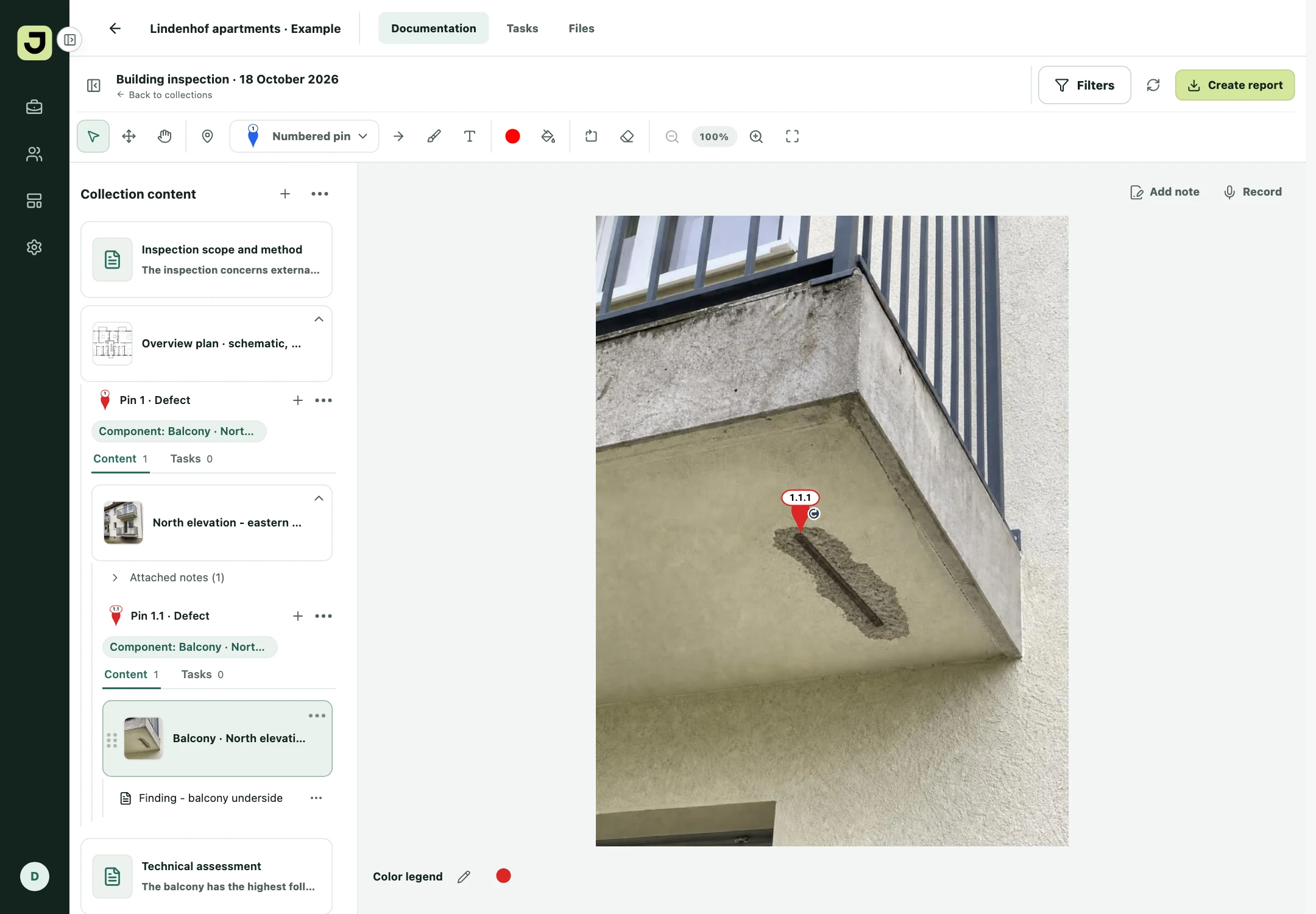
Locate the affected balcony slab in the building.
The overview shows where to take a closer look.
The close-up records the observation.
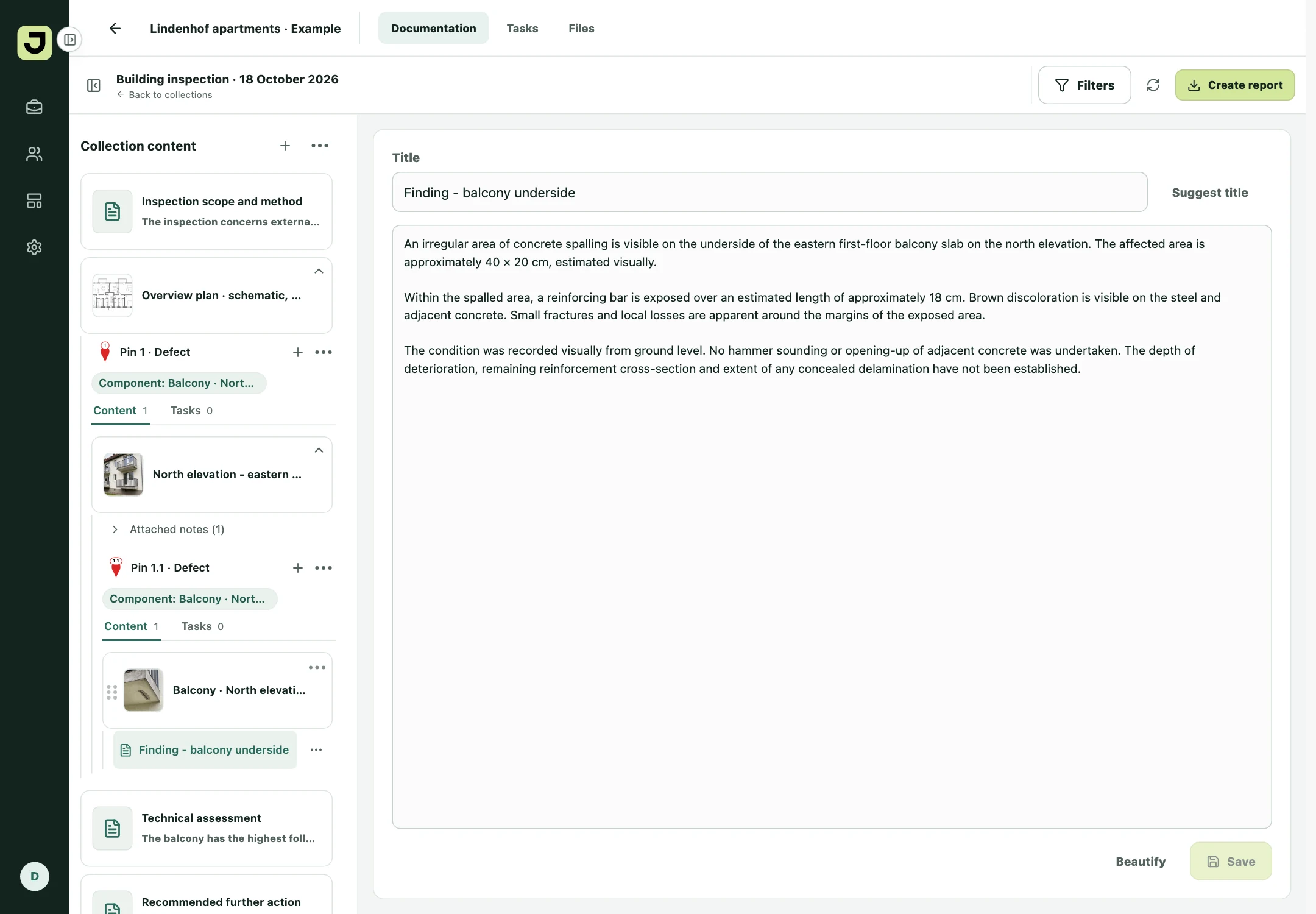
Add more levels when a finding needs them. Photos, notes and tasks stay at their respective pin.
04 · Assign tasks
One finding can need several actions. Give each its own task, directly at the pin, with the original plan, photo and notes close at hand.
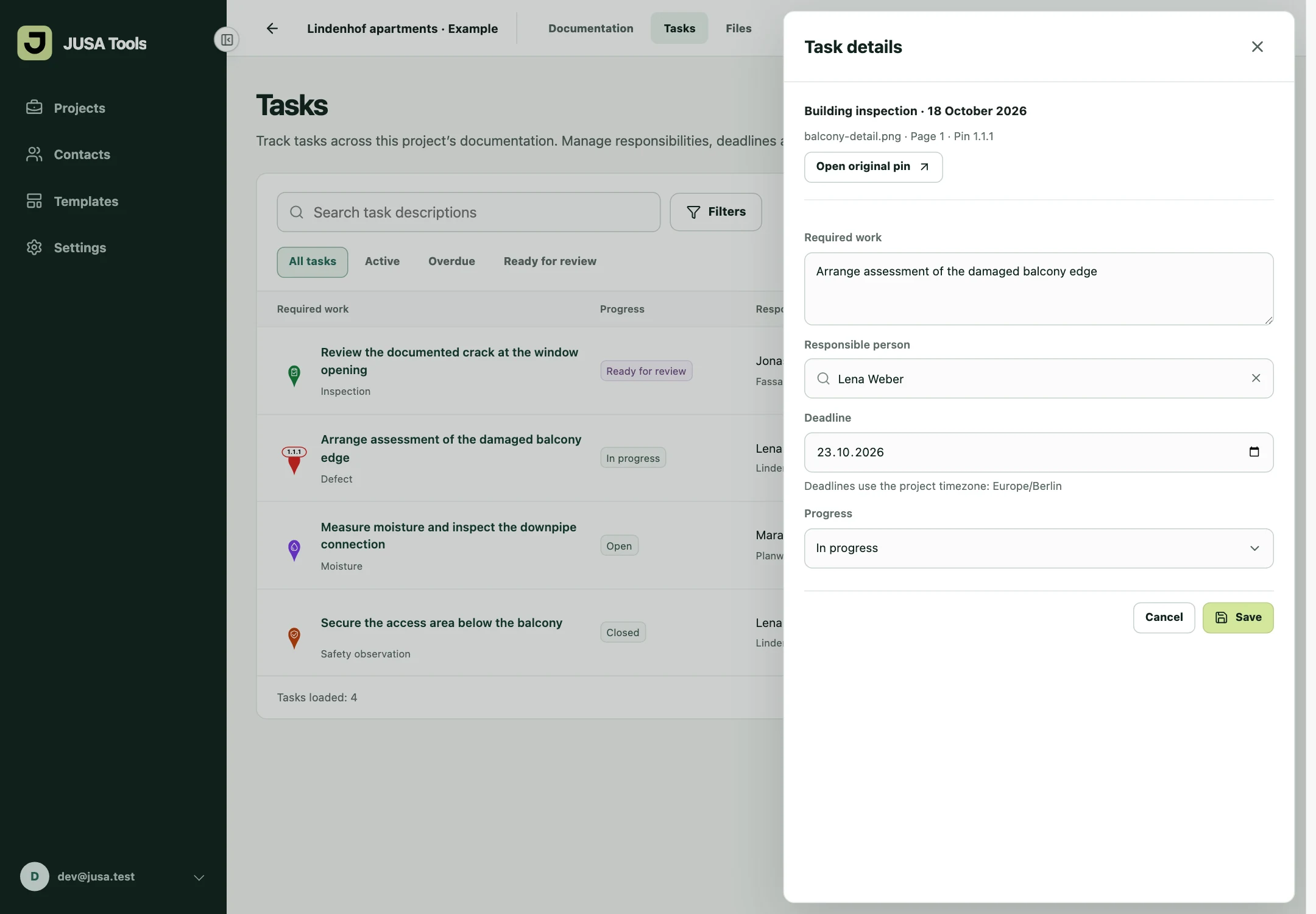
Tasks can also be reopened or cancelled. Overdue is an additional indicator for open or ongoing work whose deadline has passed.
05 · Review progress
The task overview brings together work from your project’s documentation collections. Review responsibility, deadlines and progress alongside the original location.
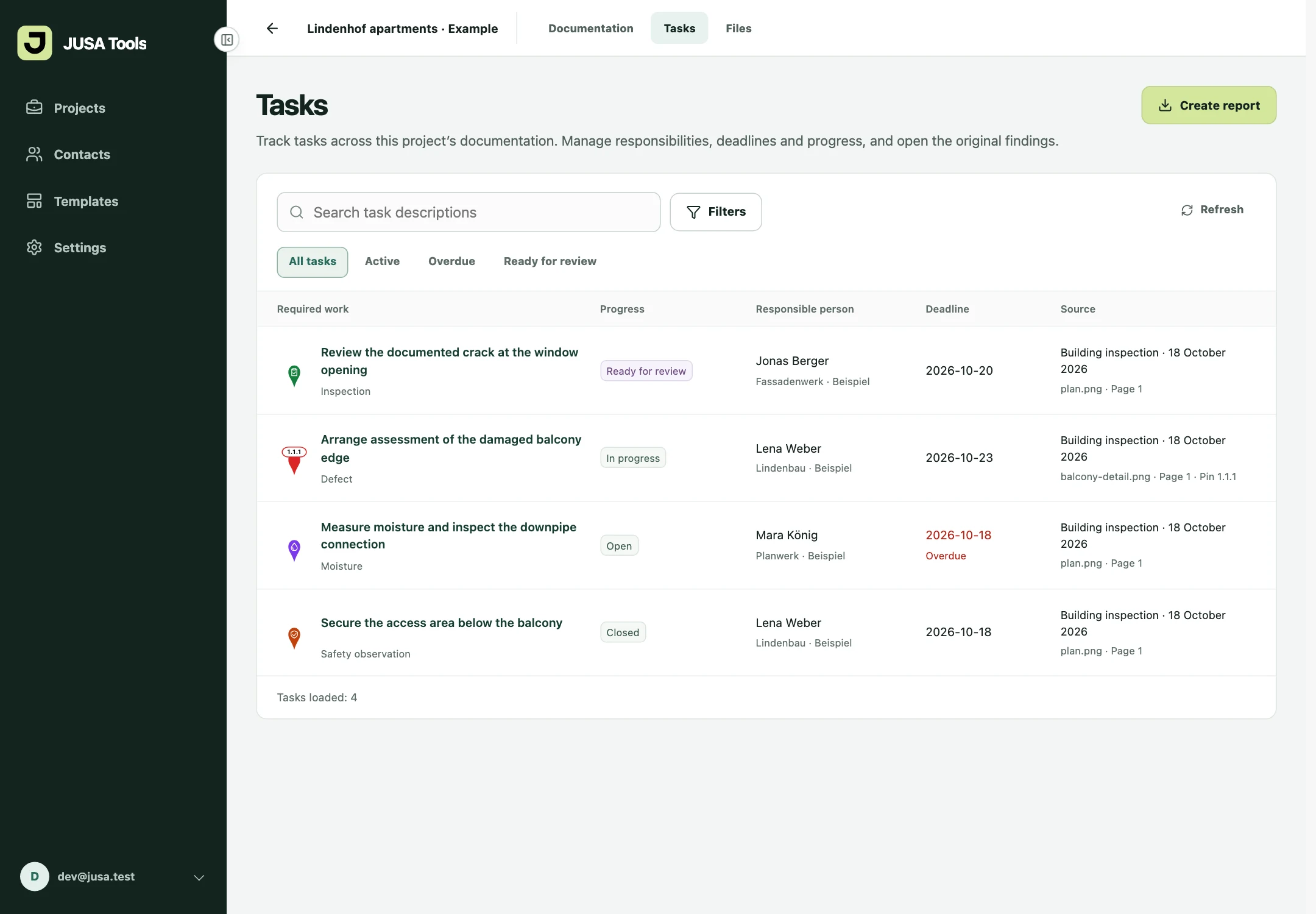
All people, companies and project records in these examples are fictional. Assigning a contact does not send a report or grant app access.
06 · Create reports
Turn the findings, photos and tasks from your visit into a structured report. Choose PDF for sharing or Word for further editing, using the same standard layout.
Set up
Save your logo and company information once in Organization settings. JUSA Docu formats the header and footer automatically. Choose PDF or Word and the language for standard headings and labels.
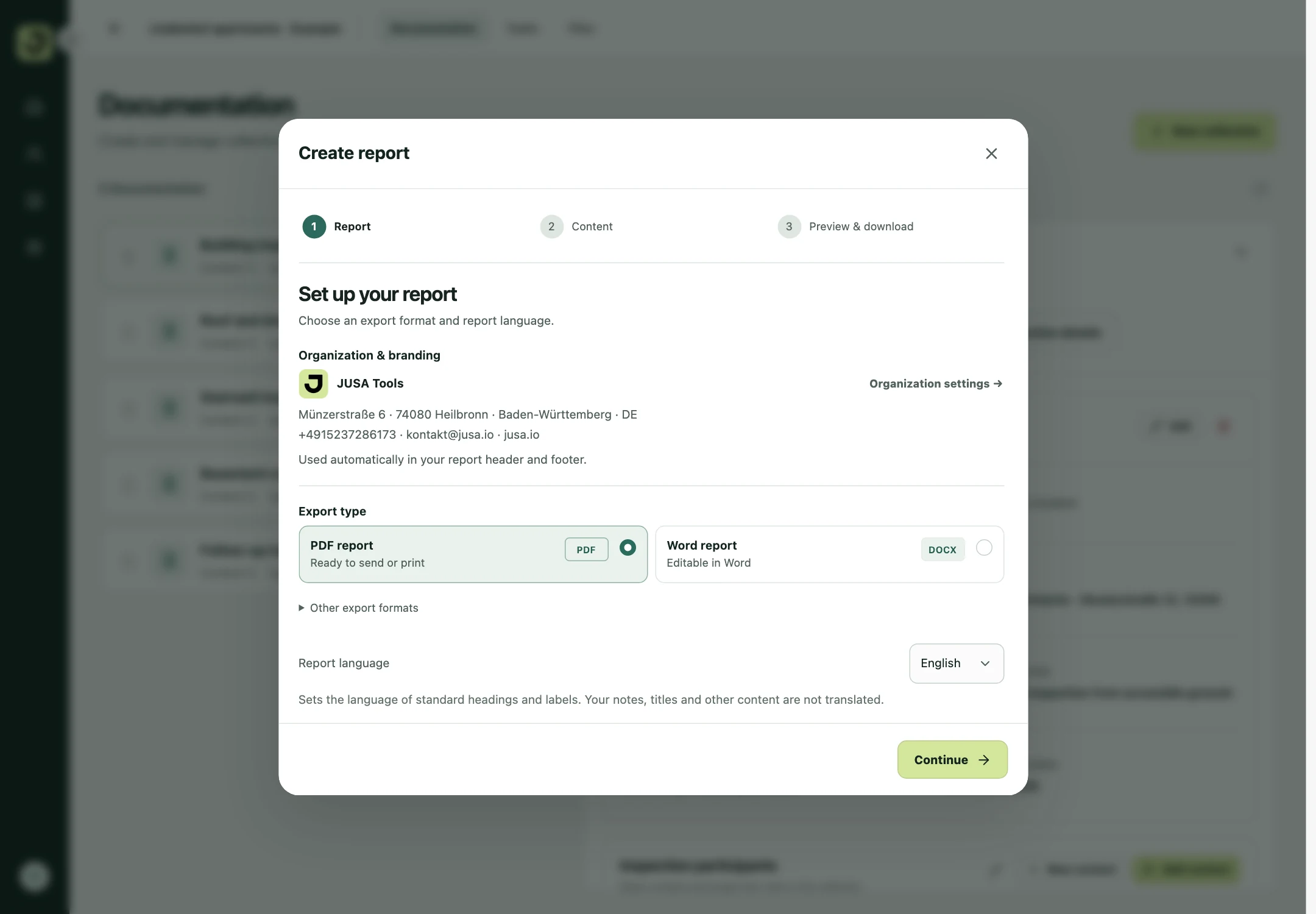
Report language sets standard headings and labels. Your own notes and titles stay in the language you wrote them.
Choose content
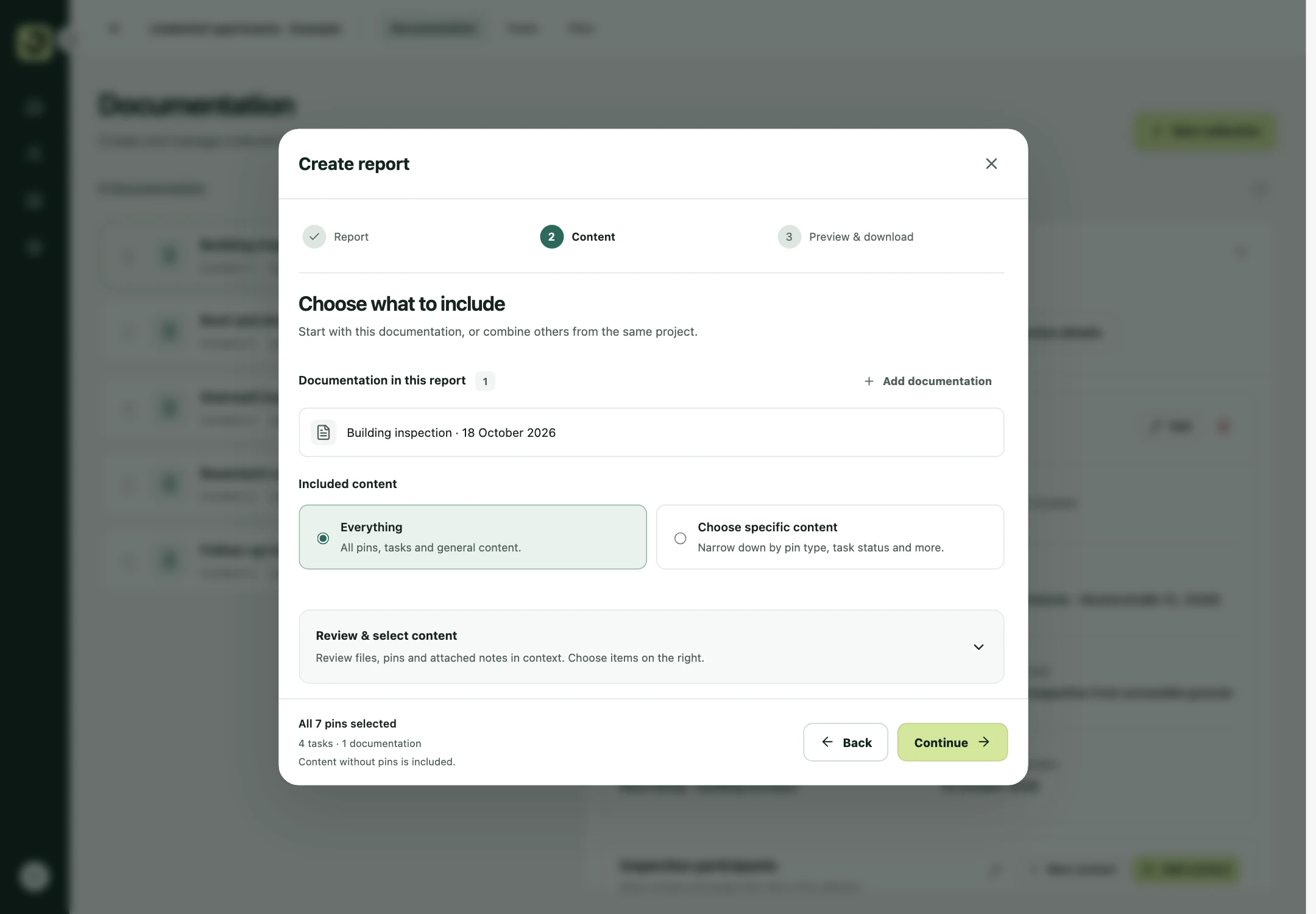
Include everything or narrow the report to selected findings and tasks. Combine documentation from the same project, filter by type or task status, and review individual photos and notes in context.
Preview & download
Check the actual report preview and adjust the output. Add a table of contents or task overview, choose the photo arrangement, and keep plan references and colour legends where you need them.
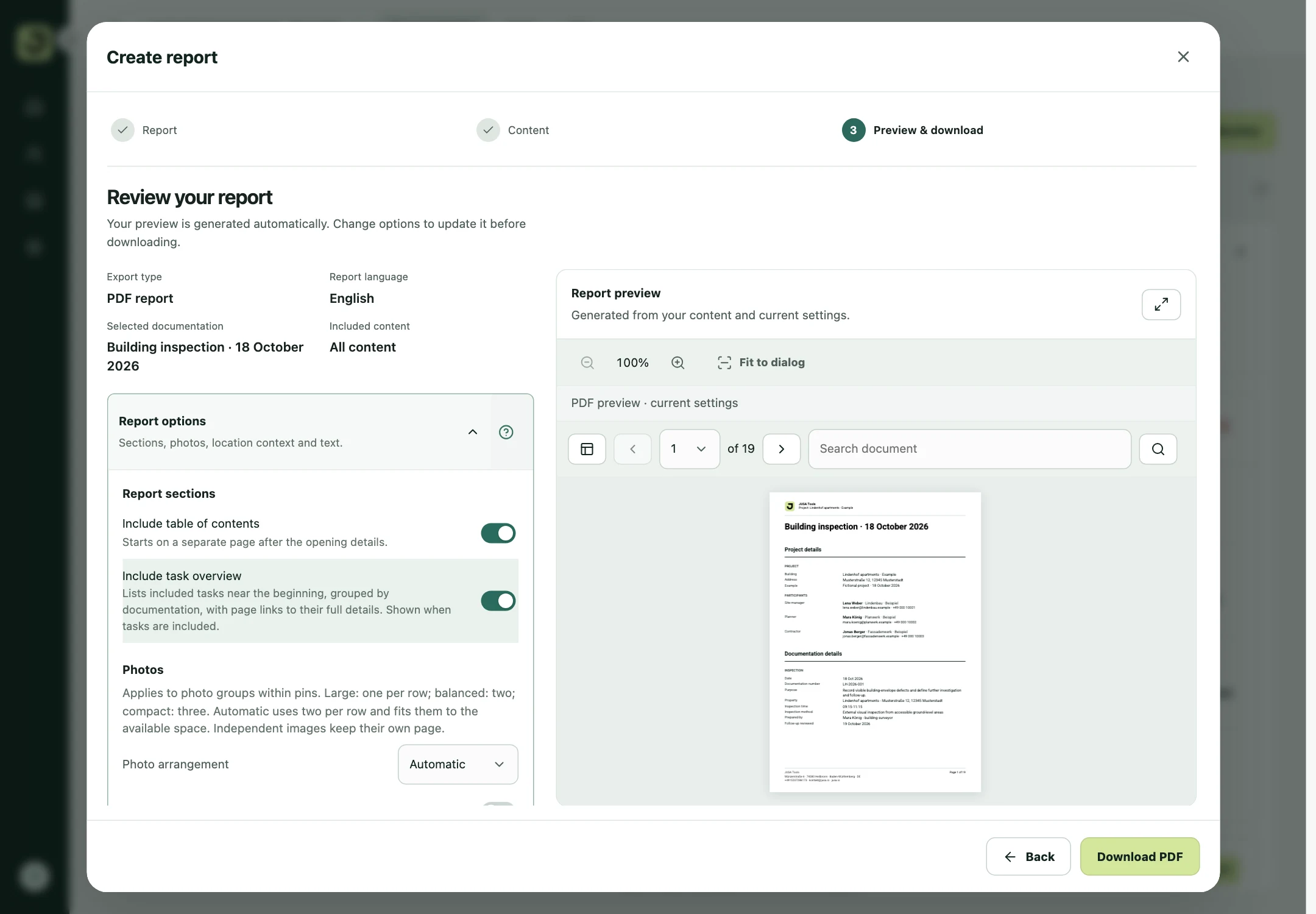
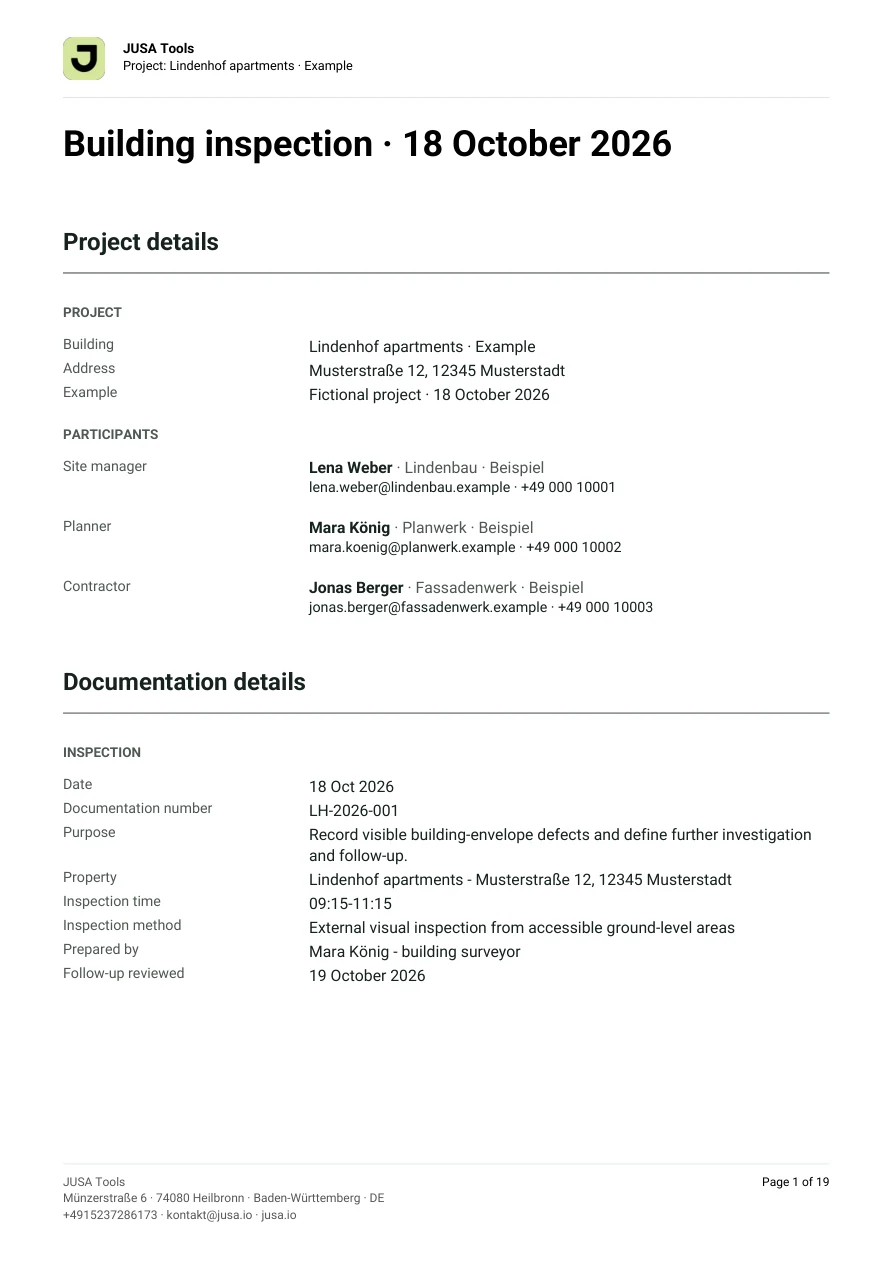
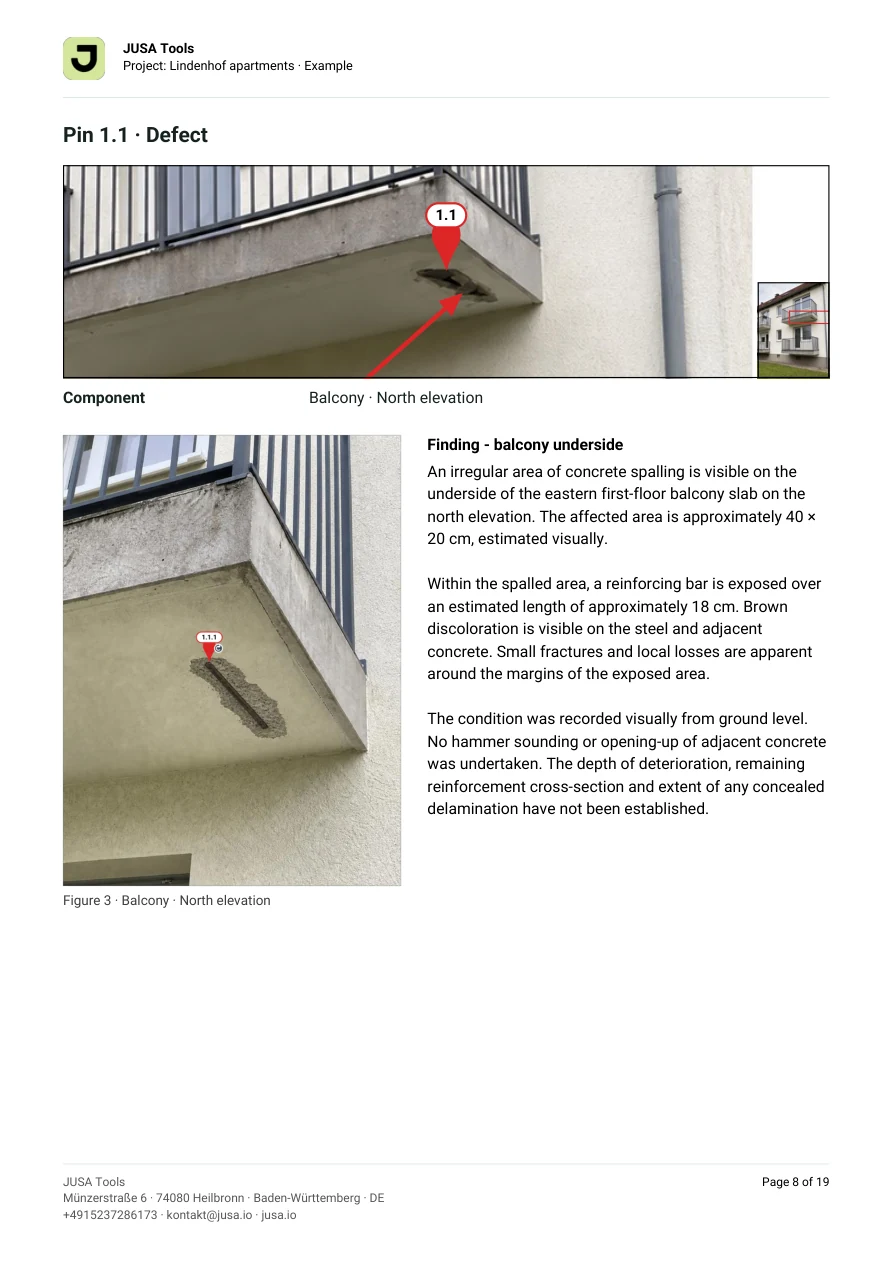
From this exact project
The same observations, photo-linked findings and follow-up tasks shown above, exported with the standard report layout. Open the full example to see how everything comes together.
The same layout, filtered to the two open or in-progress actions, with responsibilities, deadlines and the original findings.
Pin types & your own templates
This example uses numbered defect pins, a custom moisture type, an inspection icon, a safety observation and a plain photo pin. Start with the built-in types or save your own templates.
Numbered, plain or with an icon, depending on the content.
Reuse your templates and select the types you need for each project. The pin type describes the finding; add concrete tasks separately at the pin.
Illustration of the available pin appearances and a custom template.
Site & office
The team on site adds photos. At the office, content is refined and reports are prepared. Authorized team members work on the shared project; changes synchronize when connected.
Mobile capture works offline. The web app, synchronization, AI features and cloud reports require a connection.
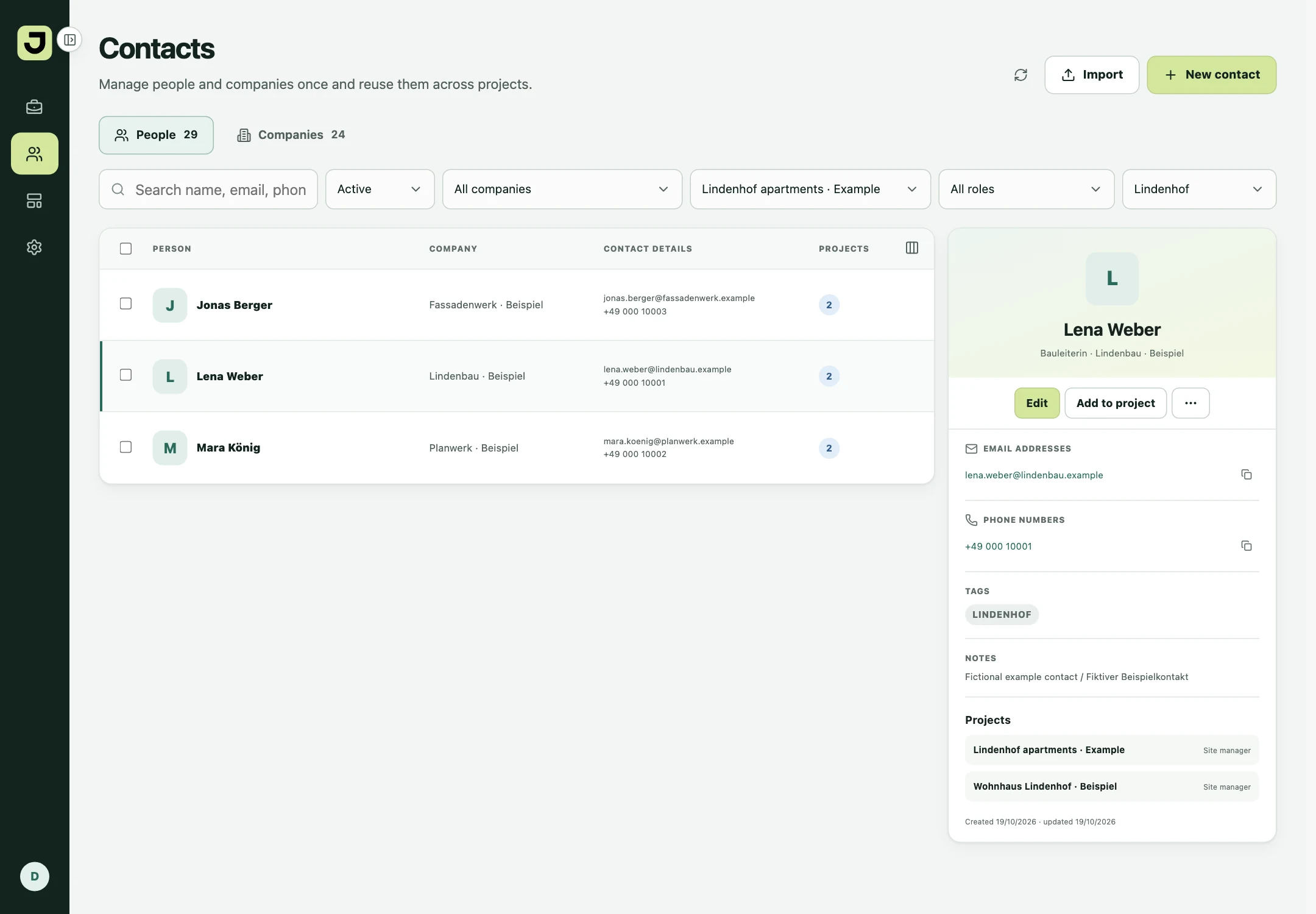
Choose people from your shared directory and keep their company and project role close at hand. Reuse the same contact when assigning a task.
Custom Word templates
For a different layout, use your own Word template. Add placeholders for project details, findings, photos and repeated content, then reuse the template in the web app.
Ask about your templateThe same guide and examples available under Templates in the web app. It explains placeholders, content blocks and layout choices.
Download Word guide & examplesWork on a copy. Remove unused instructions and examples before uploading your template.
For everyday work in construction
Record progress, construction details and open points. Assign tasks and follow their completion.
Record conditions and damage with plan references. Keep overview and detail photos together for assessment.
Document safety observations during site visits, agree actions and collect responses at the finding.
Check construction details, locate queries and work through inspection findings with your team.
Document completed work, coordinate remaining tasks and record results with photos and notes.
Document handovers and conditions, collect open points in existing buildings and track follow-up.
Yes. The core mobile capture workflow works offline. Synchronization, transcription, AI and cloud reports need a connection.
The pin type describes the finding, such as a defect or quality check. You can also add concrete tasks to the pin, with responsibility, deadline, status and evidence.
Yes. Create reusable templates with a name, colour, icon and appearance, then use them in your projects.
Create PDF and Word reports with the standard layout. Include complete documentation or selected findings and tasks, review the preview, and adjust options such as the table of contents, task overview and photo arrangement. You can use your own Word template for a custom layout.
JUSA Docu supports documentation of inspections, safety observations and related tasks. The separately planned JUSA SiGe product is still in development.
Try JUSA Docu for 14 days without a credit card. A paid subscription only starts when you explicitly order one.
New to JUSA Tools? Start your free 14-day Docu trial on this website and create your account. Once your 14-day trial is active, download the app and sign in with the same email address.
Already subscribed or invited to a workspace? Download the app and sign in directly.